A visual way to explore and understand
Explore any topic without getting stuck in a chat thread
Start with a question, paste in a subject you want to understand, or follow your curiosity branch by branch. StitchGraph helps you explore visually with AI chat, node descriptions, and expansion tools that deepen the map as you learn.
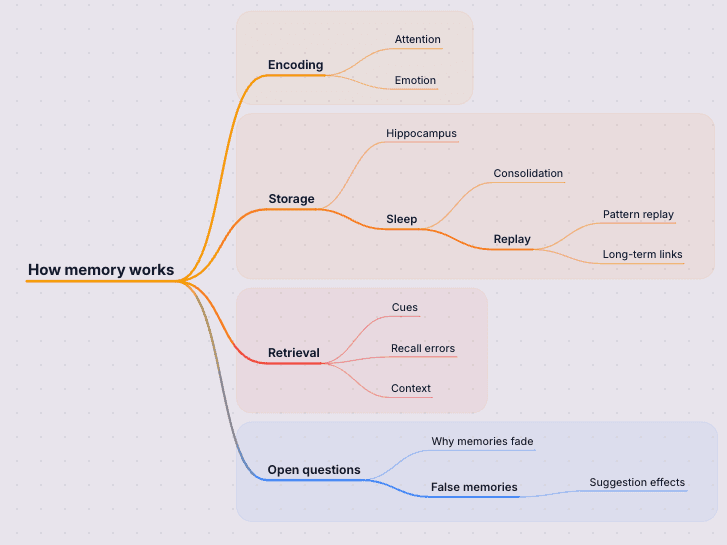
Keep the main question in view while you branch into details, ask follow-up questions, and dig into the parts that need more explanation.
Step 1
Start with a topic or question
Type the subject you want to understand, from a broad concept to a very specific question.
Step 2
Follow the map into the details
Open descriptions, expand interesting branches, and use AI chat to ask what is missing or what to dig into next.
Step 3
Refine what matters
Rename branches, reorganize the structure, and keep the map as a visual reference for the topic.
Why this works in StitchGraph
StitchGraph gives you a fast path from raw input to a usable visual map, without forcing you to stay inside the AI output.
Start with one question, then branch into the parts worth understanding.
Use expansion and descriptions to deepen the map without losing the thread.
An in-progress canvas makes it easier to compare branches and keep exploring.
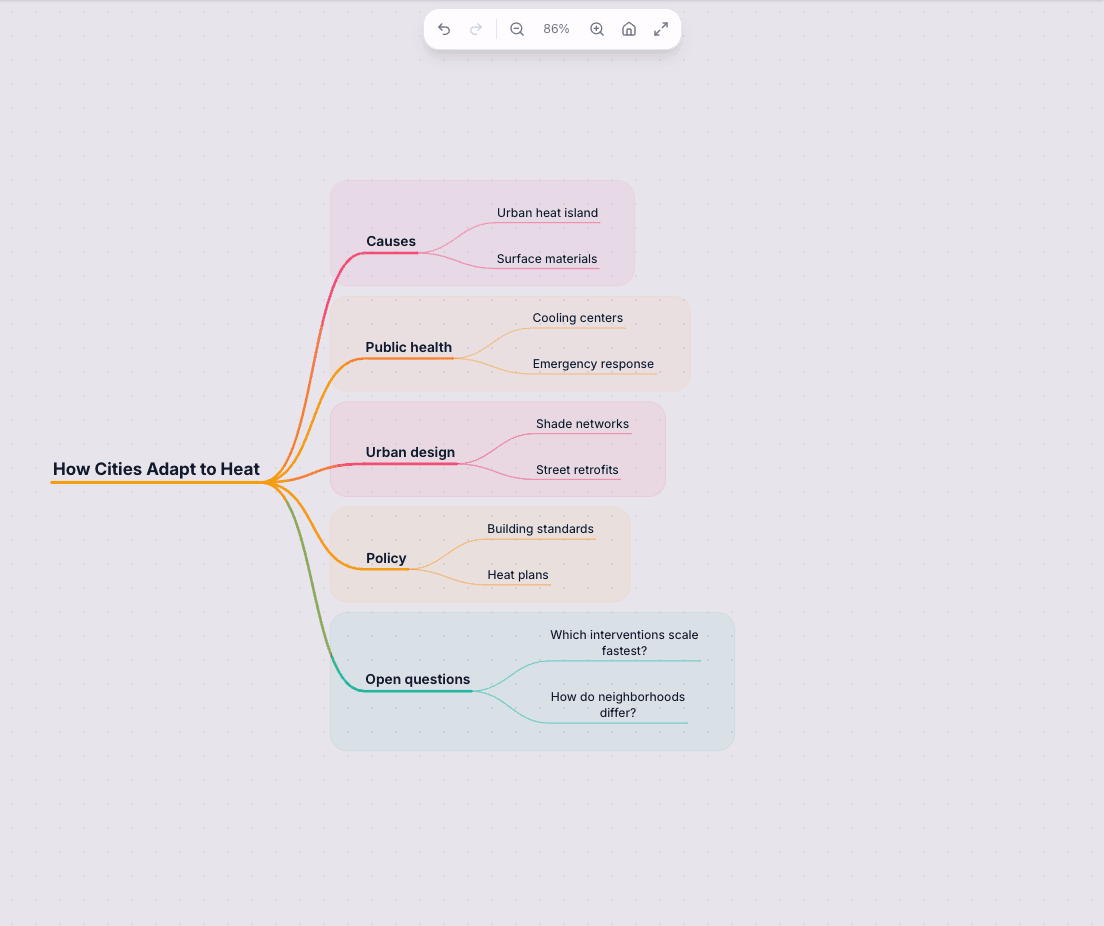
- Generate a first map from a topic or question.
- Use AI descriptions to clarify unfamiliar branches and terms.
- Expand any node when you want more depth or related angles.
- Ask AI chat about the map instead of starting over in a blank thread.
Go from first draft to finished map
Start with AI, shape the important parts, then share or export the version you want to keep.
See the shape of a topic
Instead of scrolling through a long chat, you can see the main branches, subtopics, and relationships in one visual structure.
Go deeper where curiosity pulls you
Descriptions, AI chat, and branch expansion let you keep exploring without losing the context of what you have already learned.
Keep a map of your understanding
The result is not just an answer. It is a map you can revisit, reorganize, and keep building as the topic becomes clearer.
AI generation and refinement
Generate the first map from text, then keep refining it with AI chat and branch expansion.
Clean visualization tools
Use an infinite canvas, focus mode, and cross-connections to keep complex topics readable.
Sharing and export
Share maps with collaborators or export them to PNG, JPG, SVG, PDF, and Markdown.
Frequently asked questions
How is this different from asking an AI chatbot a question?
A chatbot gives you a linear thread. StitchGraph turns the topic into a visual structure, so you can follow branches, compare angles, and keep the context of what you have learned in one place.
Can I use this for research or self-study?
Yes. It works well for learning unfamiliar topics, organizing research, reviewing complex subjects, and following questions that branch into subtopics.
What features matter most for this use case?
The most useful tools are AI map generation, node descriptions, branch expansion, and AI chat that can answer questions about the map you are already building.
Explore a Topic
The fastest way to see whether this fits your work is to create a free account and build one real map with your own notes.
Explore a TopicExplore more ways to use StitchGraph
Generate a structured mind map from a prompt, outline, or pasted notes.
Show relationships, cross-connections, and hierarchy in complex topics.
Compare the Starter, Pro, and team plans.
See how StitchGraph works before you create your first map.